
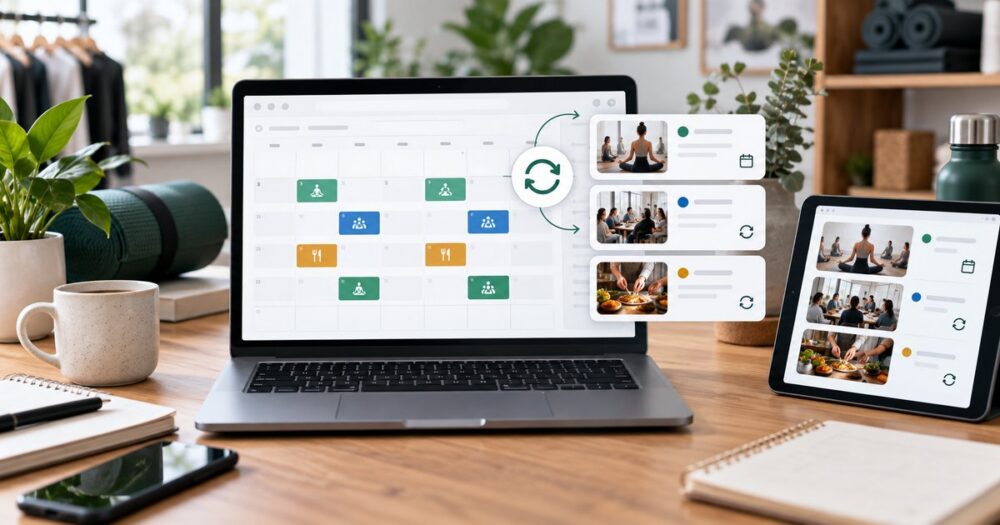
Quick answer: The best Shopify booking app for recurring events should manage repeat schedules, capacity, checkout, customer reminders, calendar visibility, and online-session access in one workflow. Servv is built for merchants who want to sell classes, workshops, appointments, and recurring programs through Shopify without duplicating every event by hand.
Recurring events are where many booking systems start to show their limits. A single event can survive a little manual work. A weekly class, monthly workshop, certification cohort, or seasonal service program cannot. The moment a merchant has to duplicate listings, rewrite confirmation emails, rebuild Zoom links, and reconcile calendars every week, the booking system becomes part of the problem.
For Shopify merchants, the stakes are even higher. The event is not just an item on a calendar. It is a commercial product, a checkout flow, a customer promise, and often a repeat revenue engine. Choosing the right booking app is less about a pretty calendar and more about operational fit.
What recurring-event merchants actually need
A recurring event is any bookable experience that repeats on a predictable rhythm. It might be every Tuesday at 6 p.m., the first Saturday of every month, a four-week training program, or a quarterly customer education session. The key is that the schedule has a pattern, and the business should not have to rebuild that pattern one event at a time.
That is why a Shopify recurring-event setup needs more than date selection. It needs rules, capacity, communication, calendar visibility, and a clear relationship between the product and the session.
| Evaluation area | What to look for | Why it matters |
|---|---|---|
| Recurring schedule rules | Daily, weekly, monthly, and custom repeat options | Reduces manual event duplication |
| Capacity management | Seat limits, session limits, and sold-out handling | Protects service quality and revenue accuracy |
| Checkout connection | Booking tied to Shopify products and purchase flow | Keeps conversion inside the store |
| Video and calendar integrations | Zoom links, Google Calendar sync, and reminders | Reduces no-shows and admin work |
| Customer communication | Confirmations, reminders, and follow-up emails | Improves attendance and trust |
| Mobile booking | Fast customer selection on phone screens | Matches how customers actually book |
Why recurring events are different from appointments
Appointments usually begin with a customer choosing a time from availability. Recurring events often begin with a business defining a program: a class series, paid workshop calendar, training schedule, or seasonal event rhythm. That difference affects the whole workflow.
A consultation business might ask, “When is this advisor free?” A fitness studio asks, “How do we sell the Tuesday and Thursday strength series for the next six weeks?” An educator asks, “How do we enroll students in the next cohort and make sure they get reminders before every session?”
The best Shopify booking app for recurring events should support both the customer-facing booking moment and the back-office rhythm that keeps the program running.
How Servv approaches recurring bookings on Shopify
Servv treats recurring events as commerce workflows. A merchant can present the offer through Shopify, attach a practical booking experience, and manage the recurring schedule without rebuilding each session from scratch. That is especially useful for businesses selling classes, workshops, training programs, consultations, and community events.
The Event Booking for Shopify page explains how Servv supports event-based commerce. For merchants building more advanced journeys, the Product Commerce page is a useful internal next step because it frames products as experiences, not only physical SKUs.
A practical selection checklist
Before installing any booking app, map the actual operating model. Many merchants choose based on screenshots, then discover later that their real workflow is more specific than the app can handle.
- Repeat pattern: Does the event happen weekly, monthly, in a fixed cohort, or on custom dates?
- Purchase model: Is the customer buying one session, a pass, a full series, or a consultation?
- Capacity: Does every session have the same limit, or do limits vary by instructor, room, or location?
- Delivery: Is the event in person, online, or hybrid?
- Communication: What confirmations, reminders, and follow-ups are needed?
- Team visibility: Who needs calendar access: owner, instructor, sales team, front desk, or support?
Industry examples
Fitness and wellness
A studio can sell a recurring Pilates class, weekend breathwork series, or paid nutrition workshop through Shopify. The booking layer manages capacity and reminders while Shopify handles purchase intent and payment.
Education and training
An educator can sell a certification cohort or monthly webinar series. Recurring scheduling keeps the program structured, while reminders and calendar sync reduce student confusion.
Professional services
A consultant can package advisory office hours or paid group sessions as recurring events. This turns expertise into a repeatable product rather than a back-and-forth scheduling chain.
Retail and product brands
A brand can run product training, styling sessions, launch events, or VIP workshops that create reasons to return to the store after the first purchase.
Common mistakes when choosing a booking app
The biggest mistake is choosing an app that handles a one-time booking but makes recurring operations hard. The second mistake is separating the booking from Shopify checkout. If payment, registration, reminders, and event details live in disconnected tools, the customer experience gets harder to trust and the merchant inherits more admin work.
Shopify’s App Store can help merchants compare categories of tools, but a recurring-events workflow deserves a sharper checklist than star ratings alone. Google’s Calendar help is also useful for teams deciding how staff calendars should stay visible.
FAQ
Can Shopify support recurring events?
Yes. Shopify can support recurring events when a booking app adds repeat scheduling, event capacity, reminders, and calendar workflows to the product and checkout experience.
What is the difference between a Shopify booking app and a Shopify event app?
A booking app usually manages appointment or time-slot selection. An event app may also handle group attendance, fixed event dates, capacity, recurring sessions, online access, and event-specific communication.
Do recurring events need separate products?
Not always. Some merchants create one product for a program and let the booking workflow handle dates or sessions. Others create separate products for major event types. The right structure depends on pricing, inventory, and customer choice.
What lead magnet fits this buying stage?
A Recurring Event Setup Checklist is the best fit. It helps the merchant define the repeat pattern, capacity model, reminders, owner responsibilities, and launch checks before choosing software.
Next step
If your Shopify store sells recurring classes, workshops, training sessions, or appointment programs, evaluate the workflow before you evaluate the app screen. Explore the Shopify event booking app, compare options on pricing, or book a demo to map your recurring event setup.
Editorial note: Last updated September 15, 2026. Recommended schema: BlogPosting with FAQ content on the page.