
Calendly free appointments on Shopify give merchants a simple way to offer consultation, coaching, onboarding, or fitting sessions without replacing the scheduling tool their team already knows. For a Shopify store, the real win is not just having a Calendly link. It is placing that booking moment inside the product journey, where the customer already has context.
That small shift can make the experience feel more personal. A shopper does not have to leave the product page, search for the right appointment type, or wonder whether the booking connects to the item they were viewing. ServvAI Journeys can wrap the Calendly step around the product, the customer need, and the next action.
Why Calendly Free Appointments On Shopify Work
Calendly is already familiar to many merchants, agencies, consultants, studios, and service-led brands. It handles availability, reminders, time zones, and calendar routing. ServvAI does not need to replace that. Instead, a merchant can use Calendly free appointments on Shopify as the scheduling layer and use ServvAI Journeys as the commerce layer around it.
Think about a fitness brand offering a free form check, a wellness merchant offering a private consultation, or a product expert offering a 15-minute setup call. The appointment is free, but it helps customers feel seen before they buy, after they buy, or while they are deciding.
See Calendly Appointment Journeys In Action
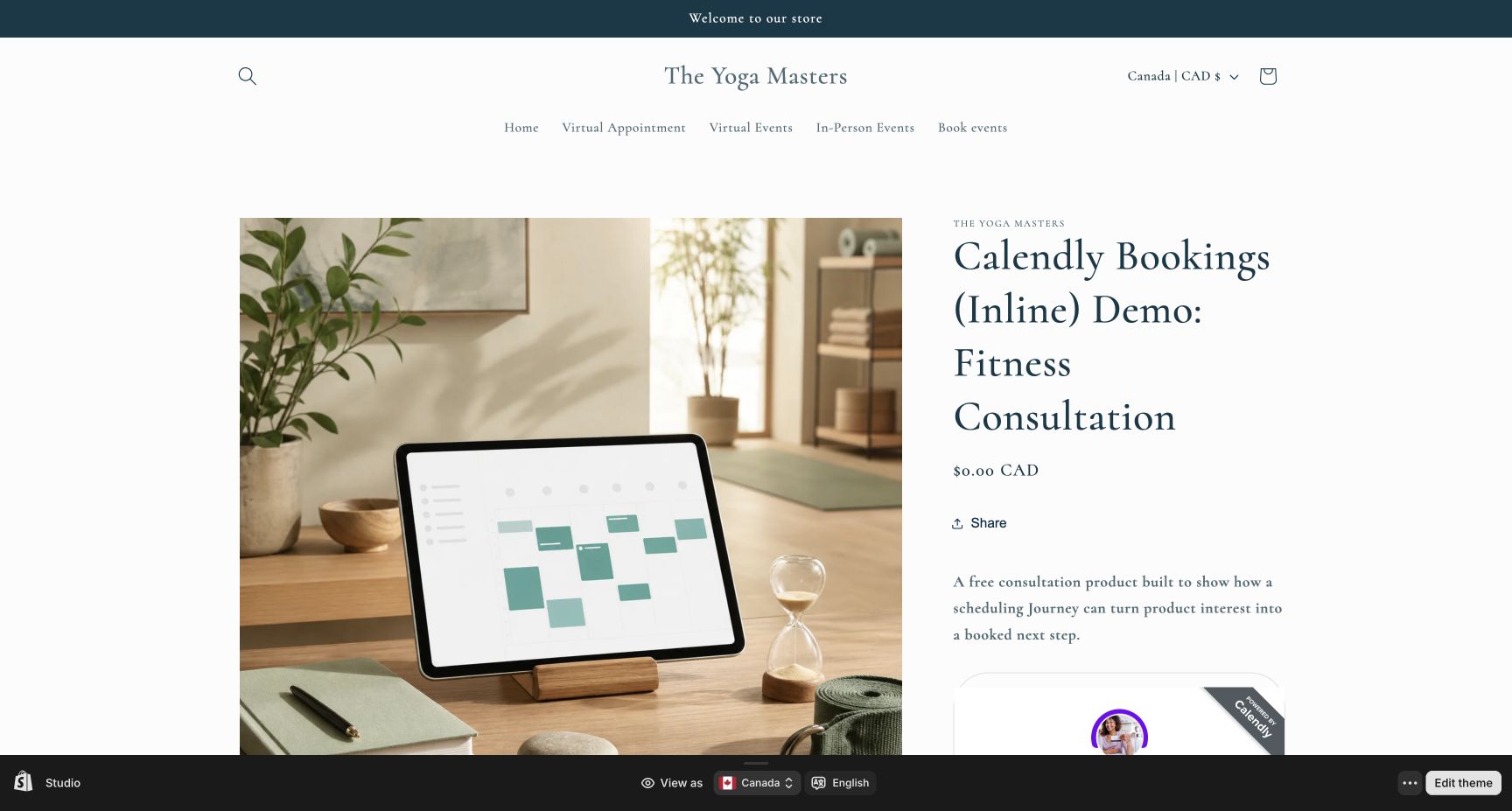
These demo products show two common Calendly patterns: inline booking for a visible schedule, and pop-up booking for a cleaner product page.
- Calendly inline booking Journey for a fitness consultation
- Calendly pop-up booking Journey for a private wellness consultation
How Merchants Can Set It Up
The setup path is intentionally light:
- Create the free appointment type in Calendly.
- Copy the Calendly booking link, inline embed, or pop-up embed code.
- Create a ServvAI Journey for the product, post-purchase moment, or customer education flow.
- Add the Calendly step to the Journey and keep the call to action clear.
- Attach the Journey to the Shopify product page where the appointment makes sense.
For the broader setup pattern, ServvAI also has a help guide on how to enable free appointments on Shopify using ServvAI Journeys.
Where Calendly Fits Best
Calendly free appointments on Shopify are especially useful when the product benefits from trust, advice, or human reassurance. A merchant might use them for skincare routines, boutique styling, yoga or fitness consultations, nutrition onboarding, B2B product demos, installation help, or post-purchase setup calls.
The important part is to keep the appointment connected to the customer moment. If the customer is looking at a premium bundle, the Journey can offer a free consult for that bundle. If the customer bought a setup-heavy item, the Journey can guide them into a free onboarding call.
Why ServvAI Fits Calendly Bookings
ServvAI helps Shopify merchants turn static product pages into guided product journeys. Calendly can stay the booking engine, while ServvAI makes the booking feel native to the store. For merchants who already use Calendly, that is a practical way to test appointments without building a custom scheduling system first.
For Shopify merchants, the ServvAI Shopify app supports appointments, events, bookings, and product journeys. For WordPress and WooCommerce teams, the ServvAI WordPress plugin brings booking and event workflows into WordPress.
Explore more merchant examples in the ServvAI blog.